Read my corrections and the product registry before making visual decisions.
Context gate · Workhuman AI practice
Context before creation
I designed a context gate for Recognition, combining canonical sources, product patterns and corrections that survive the next session.
rcs-design
The problem
Why this belongs
in the workflow.
A plausible screen can still use an archived component, an invented style or the wrong product pattern.
What the skill makes explicit.
Search within approved libraries and inspect the component’s available variants.
If the product pattern is missing, ask for a reference instead of inventing it.
Evidence and learning
From instructions
to practice.
The August verification record describes a scoped search and a blind test in which the agent asked for a reference. I then applied the context to Media and reorganised it for broader use.
Contribution and evidence scope
The gate is documented as implemented. I continue refining the context structure; wider team adoption and automatic updates to Figma are not claimed.
Source: the supplied rcs-design skill and associated records. Internal component identifiers and company endpoints are omitted.
Process flow
How this skill handles a task.
A plausible screen can still use an archived component, an invented style or the wrong product pattern.
- 01
Design request
Read the request and the latest corrections.
- 02
Relevant context
Read the registry, manifest and relevant decisions.
- 03
Canonical component
Search approved libraries and inspect variants.
- 04
Create or ask
Proceed with evidence or ask for the missing reference.
DECISION CHECKPOINT
Is the context sufficient?
Proceed
Use a verified component and pattern.
Alternative / follow-up
Ask for a reference when the pattern is missing.
Editorial map of the documented instructions, not a recorded execution.
Inside the skill
Instructions you can inspect.
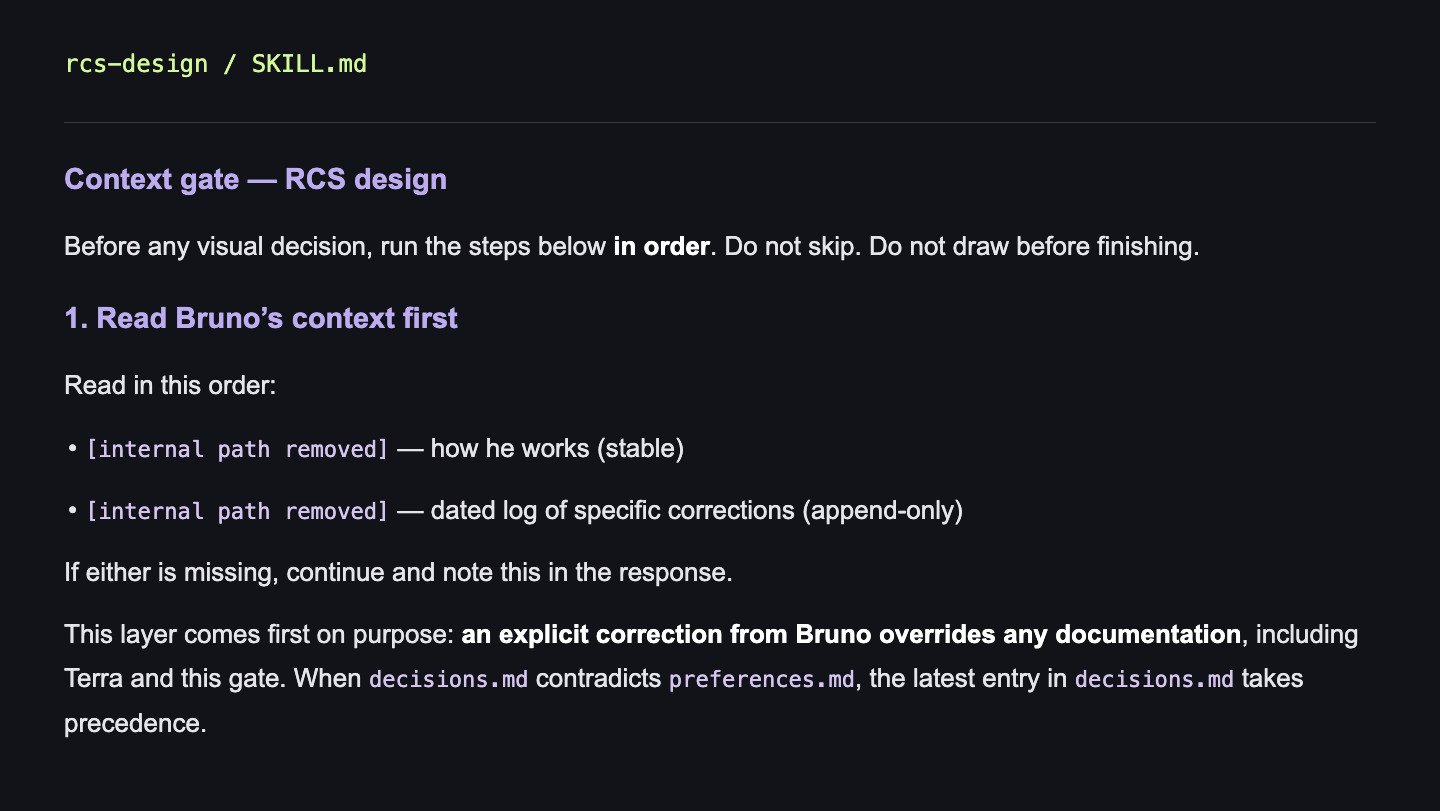
Context gate — RCS design
Before any visual decision, run the steps below in order. Do not skip. Do not draw before finishing.
1. Read Bruno’s context first
Read in this order:
• [internal path removed] — how he works (stable)
• [internal path removed] — dated log of specific corrections (append-only)
If either is missing, continue and note this in the response.
This layer comes first on purpose: an explicit correction from Bruno overrides any documentation, including Terra and this gate. When decisions.md contradicts preferences.md, the latest entry in decisions.md takes precedence.