Accessibility review · AI-assisted design practice
Bigger text. A different layout problem.
Changing a text-size mode was only the beginning. I shaped a review workflow around what happened next: broken layouts, misleading measurements and decisions that needed to stay with the designer.
See the text-scale comparison ↓Accessibility · Give larger text the space it needs. Conceptual illustration created with AI.
A successful command can still leave a broken screen.
The review material documents text that did not follow the intended scale, fixed containers that clipped growing content, and native elements that required different treatment. The task became a sequence of checks, repairs and decisions rather than a single mode switch.
The layout mechanism
Same content. Different behavior.
At larger text sizes, the fixed container loses content; the second layout lets the text wrap and the row grow. Both examples use ordinary browser layout.
01 / Default text
Fixed containerThe box keeps its height.
Reading preferences•••
Reading comfort
Choose a text size that feels comfortable to read.
›
More preferences
Text grows inside a fixed row. Clipping is deliberate in this example so the failure remains visible.
Content-driven containerThe layout follows the text.
Reading preferences•••
Reading comfort
Choose a text size that feels comfortable to read.
›
More preferences
Wrapping, content-driven height and an adjacent icon preserve the complete message.
02 / Larger text
Fixed containerThe box keeps its height.
Reading preferences•••
Reading comfort
Choose a text size that feels comfortable to read.
›
More preferences
Text grows inside a fixed row. Clipping is deliberate in this example so the failure remains visible.
Content-driven containerThe layout follows the text.
Reading preferences•••
Reading comfort
Choose a text size that feels comfortable to read.
›
More preferences
Wrapping, content-driven height and an adjacent icon preserve the complete message.
Illustrative browser reproduction with neutral sample content. These are not Workhuman screenshots, recorded Figma outputs or a simulation of every native Dynamic Type behavior. The controls work without JavaScript.
Separate the operations. Keep the designer in control.
A recorded correction made the boundary explicit: repair the text styles first, and leave switching to the larger mode for a separate step when requested.
Inspect
Capture the baseline.
Read the actual boards, text bindings and dimensions before changing the mode.
Repair
Connect the right styles.
Separate product text, native chrome and deliberate overflow before making changes.
Scale & reflow
Apply the chosen mode.
Unlock containers, remove unintended truncation and reposition content using measured bounds.
Verify
Measure, then look.
Check overflow and collisions, inspect screenshots and record what remains unresolved.
↳
Style repair and mode switching are separate deliverables. The workflow should respect the requested scope instead of bundling extra changes into a successful script.
The failures became part of the tool.
The journal records what went wrong and which discoveries became reusable instructions. These episodes are documented historical runs, not tests executed for this portfolio.
A misleading comparison
The “before” was captured too late.
A run measured font sizes after changing the mode. Its before-and-after table reported identical values, losing the evidence of what changed.
Rule: capture the baseline before mutation.
Verification: compare against that saved baseline, not the already-modified board.
A layout collapsed
Guessed IDs silently skipped content.
A restacking script used guessed child identifiers. Missing elements were skipped, the cursor failed to advance and the board required repair.
Rule: resolve the actual nodes from the inspected board.
Verification: check dimensions, collisions and the resulting screenshot before calling the repair complete.
A false clean result
One clean measurement missed another failure.
A content-driven frame pinned to the bottom grew upward beyond the board. A bottom-edge overflow check alone did not catch the displaced content.
Rule: inspect constraints and ancestor geometry when measurement and appearance disagree.
Verification: look at the actual result as well as the reported counts.
What the records actually establish.
The file profiles preserve board dimensions, intended modes and recorded checks. Later entries describe reusing a corrected recipe on copies of the same layout.
Recorded checks
Completed-board entries report no vertical overflow or text collisions for the reviewed state. This is scoped evidence about those design boards, not product-wide accessibility compliance.
Reusable knowledge
The journal distinguishes observations from promoted rules. Profiles preserve known structure and intentional exceptions so a future run does not rediscover or undo them.
Open findings
Some component constraints remained library-level issues. A downstream board repair does not mean the shared component was corrected or published.
Inspect the source trail and its limits
This account is based on the local figma-a11y-type-scale skill, its Journal entries dated 12 August 2026, and the file profiles, reflow recipes and audit/verification references.
The records describe prior work; the browser example above was built to explain the mechanism. Original company frames and raw run logs are not reproduced here. No company-wide adoption, measured time saving or compliance certification is claimed.
A workflow around shared foundations.
My contribution here is the review practice: deciding scope, directing the AI-assisted work, interpreting failures and making the next run more reliable.
The shared component foundations and annotation library belong to other owners. Using them in a review is different from having created them. Native system elements also need to be distinguished from product content before applying a rule.
The workflow connects to the surrounding context practice: use the appropriate product and platform sources, examine the design, and preserve the decision with its limits.
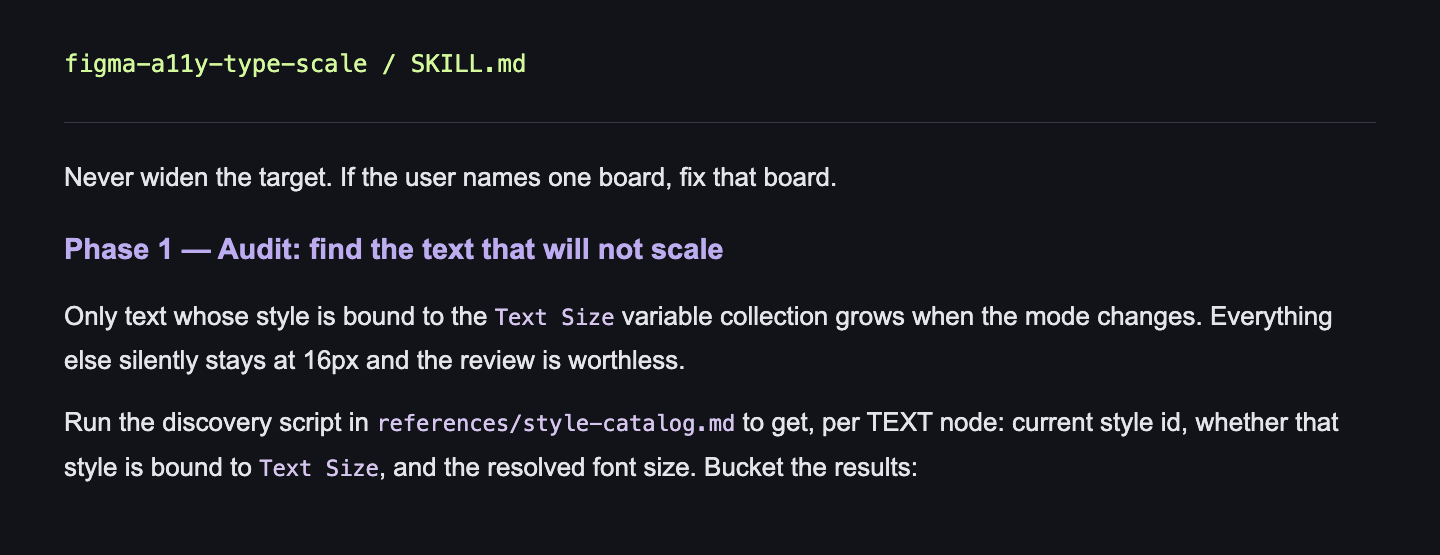
Never widen the target. If the user names one board, fix that board.
Phase 1 — Audit: find the text that will not scale
Only text whose style is bound to the Text Size variable collection grows when the mode changes. Everything else silently stays at 16px and the review is worthless.
Run the discovery script in references/style-catalog.md to get, per TEXT node: current style id, whether that style is bound to Text Size, and the resolved font size. Bucket the results: